Have you tried these tools?

Diposting oleh fatih on Minggu, 28 Februari 2010

Last weekend, I attended Learning2.0 up in Loveland and heard Amy White talk about some tools she uses in her classrom. I showed these to my students as soon as I got bakc Monday morning. They wanted the tools to all be in one place so they could come back and find them. SO...
Go2Web20.net- resource of things that help with web 2.0 applications (go look at the e-learning tab)
www.edzone.net -Marilyn Western’s Technology Tips for Classroom Teachers

http://www.xtranormal.com presentation and summarization of reading

http://animoto.com/ make a video from images-

http://goanimate.com/studio (every time you create something, you get points)-create own people and scenes; more time consuming than Xtranormal.

http://prezi.com/ going beyond Powerpoint

http://foldplay.com –show relationships between three ideas/symbols/pictures Kaleidocycle
make your own photo collage

http://glogster.com –create posters
create posters with photos post reading of novel.

ComicLife/ToonDoos/Bitstrips

PowerPoint- illuminated texts- animate words to come alive with words or phrases in text
Great idea for poetry!Select text and animate text using animate feature

Garage Band-podcasting and music –could use for interviews (Audacity and Finale Notepad)
(Create a song for the character in the novel- make sure to couple this with narrative and reflection about creating piece)

iMovie- digital storytelling instead of personal narrative (Photostory? Moviemaker)
make the example with video, stills, and voiceover so kids can see all those elements
Read More

What Have We Learned or What Haven’t We Learned? Where Are We Going?

Diposting oleh fatih

After a long and drawn out approval process, our 9th grade Honors students were able to read Cory Doctorow’s Little Brother after reading George Orwell’s 1984. Throughout the novels, we completed a multitude of chronological charts connecting the years of 1920-1950 to the book 1984, and 1950-2006 to Little Brother. We wanted kids to examine the events that might have influence these authors to write their novels. All along we asked the kids to think about “What have we learned or what haven’t we learned from these two novels? And given that information, where are we going as a society?”

Every activity during this 8 week process built upon our students formulating an understanding of those questions. From watching videos about MIT’s 6th sense, Google Googles, and Karl Fisch’s 2020 to reading about full body scanners and laptops being used to track student’s home life. We also brought in guest speakers from our History department who talked with the kids about the events surrounding WWII that would have influenced Orwell and post 9/11 legislations /actions that influenced Doctorow. We even had kids figure out the connections between Ned Kelly, The Chicago 7, and our protagonist Marcus Yarrow(can you figure that one out?). Towards the end of the unit, we had the kids write about Ben Franklin’s quote from 1759, “They that can give up essential liberty to obtain a little temporary safety deserve neither liberty nor safety.”

Upon completion of reading both texts, the kids were challenged then with writing a paper defending their answer to the questions “What have we learned or what haven’t we learned from these two novels? And given that information, where are we going as a society?” that wasn’t a traditional black and white paper, but a Wikified Research paper.

As a previous student wrote:
In most English classes, inventing new verbs is reserved for confused students. However, in English 9 honors, wikified has become a universal verb penned by none other than the teacher herself…. A WRP, or wikified research paper, is made on wikispaces.com [and this year we added Google Sites] and allows students to link to resources within their papers, along with embedding various images and videos within their papers. This concept broadens the research paper from words on a piece of paper to a worldwide published work that includes interactive and supplementary elements which help define and support the student’s thesis.

As the students composed thesis statements defending their view point, we taught them about the wonders of wikispaces and Google Sites showing them the difference between publishing a paper for their teacher to publishing a paper for the world. There is a whole new level of engagement and responsibility in writing a paper of this magnitude.

Throughout the writing process, the students were challenged with composing something that was meaningful and relevant to their take-aways from the novels. Some students felt we have learned nothing as a society and continue to fall into the same traps Orwell and Doctorow identify such as blind acceptance of the truth, inability to decide for oneself, lack of trust in government and others, and the overwhelming power of technology. Others feel that because of Marcus’ role in Little Brother and Winston’s role in 1984, that we are learning not to blindly accept what others say and that everyone is empowered to challenge the system.

The students were also asked as a result of their learnings what will happen to us in the future. This part of the WRP could take any form: traditional paragraph, podcast, poem, video, etc…. If they could imagine it, they could create it. I think this is the part of the paper I have enjoyed more than any other. The kids are challenged with creating their own interpretation of a world which they have a greater role in. As they progress through these influencing years of learning, they are creating a future which could mimic their predictions, or challenge the future they see.

At the end of the writing process, the students turn in their wiki work and arrange for a assessment date with Maura or I. We grade their papers together talking through what the student’s intended in each paragraph as well as what we take away from their writing. The writing process comes alive at this point with the ability to walk each student through their thoughts clarifying confusions and appreciating their willingness to do something different. With each paper, I am able to see a clearer picture into my students’ writing mind reflecting back on their growth and seeing the amazing possibilities that lie in front of them. It is so powerful to sit next to each kid while commenting on the creativity of their work and feeling their personal pride in a job well done. Their exuberance at showing their teacher, and I would even guess the world, their thinking is inspiring.

I would encourage you to look through their work as well giving them feedback.
Period 2
Period 5
Read More

Netbooks Aren't Replacing Notebooks

Diposting oleh fatih

Netbooks Aren't Replacing Notebooks


According to a survey from PriceGrabber.com, over half of consumers do not see netbooks as a replacement for their traditional laptops. Of those surveyed, 55% said a netbook is a nice compliment to their laptops but they'd never buy one to replace it.

The findings probably aren't all that surprising. Sure, netbooks are cheaper and smaller, which makes them more portable but the point of having a laptop at all is so that it is portable, right? Most people prefer doing most of their tasks on their laptop that is capable of handling anything they might run across. The reasons? 54% said the netbooks are too uncomfortable due to size, 50% were unhappy with the lack of CD drive, 49% didn't like the lack of storage, 38% felt the computers are too slow, 26% don't feel they can run their multi-media files on them, 16% believe the netbooks won't run their games as well, and 14% had other reasons for their feelings.

On the other hand, 45% of people do see netbooks as laptop replacements. This could mean any number of things but it seems as though a lot of people aren't in need of big screens and lots of power for their everyday computing needs. The study defined a netbook as any laptop with a smaller than 11-inch screen, that cost less than $500.

The survey does point out that the netbooks have caused an overall drop in the price of computers. In December 2008, the average laptop cost around $800, compared to $654 in December 2009. They also noted that the average netbook user falls into the 45-64 years old age category. It used to be that 35-54 year olds preferred the smaller computers.


Looking for Laptop Rental information? Visit our Tech Travel Agent Laptop Rental Page for a variety of laptop rental solutions for business or personal use. Or call today at 800-736-8772.
Read More

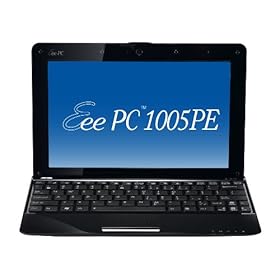
ASUS Eee PC Seashell 1005PE-PU17-BK 10.1-Inch Black Netbook - Up to 14 Hours of Battery Life

Diposting oleh fatih on Kamis, 25 Februari 2010

ASUS Eee PC Seashell 1005PE-PU17-BK 10.1-Inch Black Netbook - Up to 14 Hours of Battery Life


Product Description

The 10.1-inch Eee PC 1005PE-P Seashell with Windows 7 Starter shines as the ideal Eee PC for the traveler looking for outstanding wireless connectivity and efficient Eee PC performance. Thanks to the exclusive ASUS Super Hybrid Engine and high-density battery, you can take this mobile phenom wherever you choose and enjoy up to an incredible 14 hours of unplugged freedom.*

The Eee PC 1005PE-P is encased in a smooth pearlescent shell that captivates onlookers and features the next generation Intel Atom N450 processor for extraordinary battery life. Plus, it gives you extended comfort with a chiclet keyboard, large palm-rest, and multi-touch trackpad. For more convenience, the Eee PC 1005PE has hotkeys placed above the keyboard – granting you quick access to Wi-Fi and control of the ASUS Super Hybrid Engine that instantly optimizes system performance for the task at hand. Throw in a generous 250GB hard drive with 500GB of ASUS WebStorage** and you get the ability to store, share, and access your important data anytime, anywhere.

ASUS worked closely to make your Windows 7 experience better with groundbreaking utilities such as FastBoot and LocalMe. With ASUS FastBoot technology, this Windows 7-enabled Eee PC starts up fast so you wait less and do more. LocalMe is a GPS-like application that when connected to the internet provides easy access to local areas and gets you where you want to be.

Miles ahead of its competition, the Eee PC 1005PE-P provides unsurpassed battery life and superior portability that liberates you from wall chargers and brings you into the next generation of mobility.>>> Read more review<<<    
>>>Distcount Sale at Amazon.
Read More

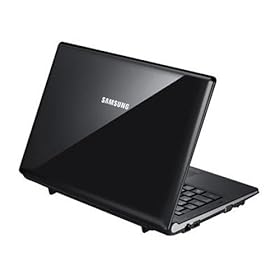
Samsung NC20-21GBK 12.1-Inch Black Netbook - 6 Hour Battery

Diposting oleh fatih on Selasa, 23 Februari 2010

Samsung NC20-21GBK 12.1-Inch Black Netbook - 6 Hour Battery


Product Description

Shop online, surf the web and chat with ease. The NC20 mini notebook gives you the freedom to accomplish more on the go. Enjoy images filled with bold, vibrant colors on a glossy LCD screen with 1280 x 800 resolution. The NC20 mini notebook is an affordable mobile solution ideal for all your online needs.  >>> Read more Review.
>>> Distcount Sale at Amazon.


Read More

MSI Introduces Two New Gaming Laptops

Diposting oleh fatih

MSI Introduces Two New Gaming Laptops

MSI has announced that it is adding two new models to its line of GX gaming laptops. The MSI GX740 and GX640 feature Intel Core i5 and support the latest DirectX11 gaming standard.

According to the company, these are the slimmest, lightest gaming laptops available. But as many point out, gaming laptops are usually pretty big and heavy, so that's not saying too much. Anyway, the GX640 weighs roughly six pounds and has a 15.4 inch screen. It measures about 14 x 10 x 1.5 inches. The GX740 is slightly bigger with a 17 inch display and weighs a little over 7 pounds. It measures around 15.5 x 11 x 1.5 inches.

In addition to the Core i5 processors, the laptops each come with an ATi Mobility Radeon 3D discrete graphics card, which, as mentioned, supports DirectX 11. The GX740 comes with the ATI Radeon HD 5870 card, while the GX640 comes with the HD5850 model. Both cards have 1GB of GDDR5 graphics memory. The cards are said to use less power, yet provide excellent visuals.

The laptops have several other exciting features. In addition to running Windows 7 Home Premium, both come with 4GB of RAM, Wi-Fi, a 2Mp webcam, a four-in-one card reader, SRS-certified Premium Sound speakers a digital 7.1 optical surround output feature, and a 640GB hard drive.

For sound performance, the GX740 incorporates five speakers into its design: two hi-fi 3D speakers above the keyboard, a woofer for deep bass in the computer's base, and two more hi-fi 3D speakers in the front. The GX6540 only has two speakers.

The laptops are also "green." They feature an ECO function button that allows you to switch between five different power levels, based on what type of task you are performing.

Both laptops will be available in the United Kingdom March. No word on how much they will cost in the United States.


Looking for Laptop Rental information? Visit our Tech Travel Agent Laptop Rental Page for a variety of laptop rental solutions for business or personal use. Or call today at 800-736-8772.

Read More

Lenovo's New G-Series Laptops

Diposting oleh fatih on Minggu, 21 Februari 2010

Lenovo's New G-Series Laptops

Last week, Lenovo announced two new additions to its G-Series family of laptops. The budget laptops are powerful with a AMD Turion II Dual-Core processors integrated ATI Radeon HD graphics. Both the G455 and G555 have 16:9 widescreen HD displays, come with Windows 7, and support DirectX 10. They also feature a few favorite Lenovo applications, including OneKey Rescue System, VeriFace face recognition for security, Energy Management 5.0 software for efficiency, and a repair and recovery tool among others.

Both laptops will be available in the United States in March and will start around $449.


Looking for Laptop Rental information? Visit our Tech Travel Agent Laptop Rental Page for a variety of laptop rental solutions for business or personal use. Or call today at 800-736-8772.
Read More

To: Texas From:Colorado re: 1984

Diposting oleh fatih on Jumat, 19 Februari 2010

Sometime during first semester, the date escapes me, Christian Long put out a tweet looking for someone to collaborate with his Texas students regarding 1984. Karl Fisch forwarded the tweet along to me, and so began our venture into Long’s World of Learning-Texas and Colorado style. Maura Moritz, my partner in 9th grade Honors, and I were going to have our students read 1984 at the end of first semester, and end at the beginning of second semester. Following this reading, our students were going to read Cory Doctorow’s response to 1984, Little Brother. Along the way, we were asking the students to think about “What have we learned or not learned in the 60 year span from Orwell to Doctorow? As a result, where are we going as a society?”

Working with Christian is like jumping into the Alice’s White Rabbit Hole- you just never know where you are going, but it is an adventure along the way. Christian and I spent a few Skype sessions with Maura planning out what our collaboration would look like. More importantly, the ability to exchange ideas outside of our department was refreshing. Christian has such a passion and stream of consciousness about his love of teaching and learning. To sit and talk with him is to take in all that it means to be a great teacher. Quite simply, my mind hurt when we would finish talking.

And so the plan became that quite magically all our teaching hours aligned. Christians’ period 2, 3, and 4, matched with our period 2, 3, and 4. We decided that since our students here at AHS had read 1984, they would lead Christian’s classes in a propaganda discussion. The kids planned a day of small group discussion focusing on various aspects of propaganda. Their planning is here and website they created for the discussion is here.

It is really interesting to sit back and watch the kids take over. There are those kids in class that are the planners/ organizers, those that are creatively minded coming up with all sorts of ideas, and then there are those that are along for the ride. Initially, the kids broke up into small groups planning what they were going to teach Christian’s kids. This worked out well and was well orchestrated. When the day came, their plan was that Christian’s kids would rotate between their small groups learning about a different facet of propaganda from a variety of kids. The plan was great, the implementation was more challenging. At least I can say for once, my kids were the guinea pigs and Maura’s got the benefit of our experience.

The technology allowed for some problems between the Texas to Colorado connection. One set could hear, and another couldn’t or one group could access the website, and another couldn’t. We set-up the classroom so that the kids were far enough away from one another each group having a computer with built in webcam that allowed them to Skype into Christian’s classroom in Texas.

The second day went much better- our kids led a large group discussion with Christian’s kids asking them to bring together all they had seen and talked about from the day before. This was a fun exchange of ideas regarding the purpose of propaganda (is all propaganda negative?), rights and responsibilities, safety and security, etc…

I think going forward some things we need to change are:
1- I think fewer groups and more time- maybe having two groups lead the entire class for 15 minute blocks of time.
2- Need to build in set-up time for technology: kids work out Skype difficulties day before so Skype is ready to go, kids all try website ahead of time to make sure all have access, etc...
3- Kids need to be better prepared to lead discussions. My kids had one or two questions, but didn't know how to work through problems with discussion or lack of responses. Kids need a wide depth and breadth of questions to ask. I guess this just proves not everyone can teach! Kids also need various means of delivering information when website doesn't work.
4- Less laughter from kids, more focus on professionalism and responsibility of task. Kids can have fun while still being academically challenged.

Maura’s classes went really well. I am glad we were able to have this intellectual exchange. The power of collaboration far outweighs and of the technical difficulties. I was amazed at the shift in my students from being learners to teachers and watching them struggle with how challenging it is to teach and engage your audience. I know they walked away with a new appreciation for me, and I walked away with a new collaborator- Christian, thanks for this opportunity and here’s to many more.
Read More

Changing the World ala Diigo

Diposting oleh fatih

Part of the ninth grade curriculum is for our students to write a persuasive research paper where students apply their composition skills to a five paragraph essay. Last year with my student teacher, Mr. Ruggles, we changed the focus of the paper to a Change the World paper.
This year, we started the paper writing process talking about issues in this world that were injustices or wrongs that have been committed. These could be as simple as personal issues (curfew laws, child abuse, drug abuse) or complex as international issues(blood diamonds, world poverty/hunger). I wanted this paper to be very different for my students. We had spent the better part of first semester perfecting the paragraph with strong topic sentences and we had spent some time working with thesis statements. I wasn’t so concerned about the formatting of the paper, but helping my students find something they were passionate about and then helping them DO something about it. The paper was just a means to the end of creating an action plan. As they constructed their paper, they had to be thinking about how to solve this problem and then what could they personally do to Change the World.
After brainstorming and learning about proper internet search techniques from our library media specialist, Mr. Murphy, I asked Karl Fisch to come in to introduce the wonderful world of Diigo to our kids. Karl came in and presented about the organizational and collaborative nature of this tool. We had a group set-up for our entire class so that when one kid would bookmark a site, his bookmark would be shared with the entire class. The kids had the capability to collaborate on researching and sources, rather than be seen as “cheating.” – they were going to help one another succeed.
Another benefit of using Diigo was that all the information for the boys was stored online. As they read through articles, they could sticky note important information, tag the source with reminders as to where this valuable piece could support an argument in their paper, and most importantly, stay organized. No matter whether the student was at home or at school, as long as they could log into Diigo, they could access their sources.
As the students organized their papers, they were asked to create thesis statements that identified the problem, but then also identified a solution or two. Throughout the paper writing process, the ability for the kids to access the sources was so helpful. I think I would make some changes to this process in the future:
1- I would have the kids use Google Docs as a composition tool. Too often, paragraphs were lost or misplaced. I think this would parallel well with Diigo in that everything is available to the student wherever they go.
2- I need to stress the importance of not just Googling quotes about the topics. After finding sources for their papers, some kids would just find any quote that dealt with their topic rather than focusing on the research work. If they were arguing about global warming, they would just Google “global warming quotes” and use whatever came up, rather than facts and data that would support their opinion. I think a change to the rubric would help eliminate this problem.
3- I would like to get more kids to write their papers as Wikipapers. I think this is so important for writing in the 21st century. I don’t want their papers to be limited to my reading, but for everyone to see what these kids are thinking about and what they want to change. I need to work on this. After presenting Wikispaces and Google Sites to the kids, only one took me up on the offer.
4- I have to find a way to make kids better editors of each other’s work. This is something I have struggled with all year long. We do musical chairs editing (which if you have never tried is the best thing), but the kids are not either capable or focused enough as to what to edit. We walk through the papers step by step, and I have done example editing with them, but they don’t seem to follow through. I want them to develop this quality but am unsure beyond modeling, and reinforcing expectations how to get them to be better.
At the end of the paper, the kids were asked to develop and implement an action plan where they are going to personally do something about their problem. This is my favorite part of this whole project. The kids aren’t just writing a paper, but trying to change the world. They are actually doing something that is meaningful, relevant and personal to them. I have kids talking to news channels, emailing ESPN, Sports Illustrated, writing letters to congress, volunteering at homeless shelters and soup kitchens. You name it, they have considered it. With their final paper, they turned in their action plan as well. I asked the kids at the end of this whole six week process to reflect on the paper, Diigo, as well as the action plan. Their thoughts are posted on the class blog. It’s a start, and I know I will make changes next year, but these kids are beginning to see that the change all starts with them.
Read More

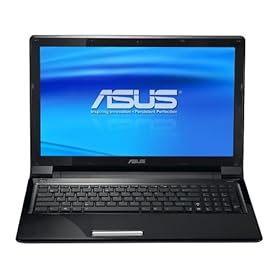
ASUS UL50VS-A1B 15.6-Inch Black Laptop (Windows 7 Professional)

Diposting oleh fatih on Kamis, 18 Februari 2010

ASUS UL50VS-A1B 15.6-Inch Black Laptop (Windows 7 Professional)

Product Description

The thin and light ASUS UL50VS is a harmonious blend of form and function. Powered by an Intel Core 2 Duo ultra-low voltage processor, it boasts an impressive 11-hour battery life for all-day computing. It also sports user-centric features such as a multi-gesture touchpad and provides an impressive multimedia entertainment experience with Altec Lansing speakers and an NVidia G210M graphics engine (users can turn the graphics card off if longer battery life is needed). With a 160GB Solid State Drive and Windows 7 Professional operating system, the UL50VS is the perfect laptop for today's business user. All of these features and more are shrouded in a robust brushed aluminum lid that not only looks magnificent, but also helps in maintaining the notebook’s stylish exterior day after day. ASUS notebooks come with ASUS’ 360 service program that includes a 2 year global warranty, one month zero bright dot guaranty, free two-way shipping and twenty-four hour tech support seven days a week. Plus it comes with a FREE One Year Accidental Damage Warranty protecting your notebook from drops, fire, spills and surges. The package contains the laptop, power adapter, warranty card, carry bag, and optical mouse. >>> Read More Review <<<


Read More

Hanwha Japan's Tube-Powered USB Dongle

Diposting oleh fatih

Hanwha Japan H-TubeWhen you think of vacuum tubes for your computer you don't typically think about DTS surround sound. But after Hanwha Japan gets its gadgets in your hands you may think otherwise. The company has just unveiled a new USB dongle that may very well make you want to get your DTS surround sound from a pair of headphones.

Vacuum tubes, typically, are used to boost the power signal in tube or valve amplifiers. However, Hanwha Japan has figured out a way to take that technology and create a USB dongle with a headphone jack that will give you DTS Surround Sound.

Introducing the X-Tube, a USB dongle that allows you to upgrade your computer with DTS sound. Also known as the AS301DTS, the X-Tube contains a vacuum tube-shaped headphone jack that glows blue when in use. However, when you combine that dongle with its software and compatible DTS AH-516 headphones, you get DTS Surround Sensation, or DTS surround sound from 2 speakers.

This sounds great though the only problem is that the software can only be used with machines running Windows XP, Windows Vista or Windows 7 which means all you Mac users out there are out of luck. The good news is that with the purchase of the X-Tube you get the software disk and headphones bundled with it. The device isn't available in the US just yet but is available in Japan for $45 and if you desperately want to get this then check out Geek Stuff 4 U, as they are able to ship one to you.


The MacBook Pro Laptop Rental is the best choice when needing temporary portable Macintosh Power. It's more durable with more features than the MacBook Air. The MacBook Pro is called the Mobile Warrior by Mac Expert, Danny Fey. Call 800-736-8772 to reserve your next laptop rental.
Read More

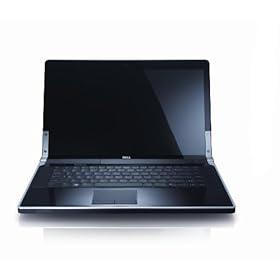
Dell Studio XPS 1640 15.6-Inch Obsidian Black Laptop - Up to 3 Hours 8 Minutes of Battery Life (Windows 7 Home Premium)

Diposting oleh fatih on Rabu, 17 Februari 2010

Dell Studio XPS 1640 15.6-Inch Obsidian Black Laptop - Up to 3 Hours 8 Minutes of Battery Life (Windows 7 Home Premium)

Product Description

Blending power with elegance, the Dell Studio XPS 16 delivers superb multimedia performance and mobile design. The smooth contours of the high-gloss, Obsidian Black finish gives you the sense that you’re using something truly special. The 15.6-inch full 1080p Hi-def widescreen display has a fast 8ms response time for a crisp, clear resolution during fast-action video and gaming. Its backlit keyboard and touch pad buttons are easy to use, day or night. Keep an eye on your battery power by simply checking the color of the indicator on the hinge. Plus, capacitive multimedia buttons glow white when activated.
>>> Read More Review <<<

Read More

Panda Antivirus for Netbooks 2010

Diposting oleh fatih on Minggu, 14 Februari 2010

Panda Antivirus is indisputably one of the most complete, professional and excellent anti-virus available, but has the big hits that occupies much space and consume too many system resources, so it is not suitable for installation in portable type Netbook (those of very low-cost laptops and small performing very basic functions).

Well, so your Netbook is also protected has been created for this Panda Antivirus Netbooks, a virus specifically designed to be hosted on these laptops. In this way, you'll totally protected and safe from attack by viruses and other external threats like malware, spyware and worms.

The best thing is that Panda Antivirus for Netbooks only wastes resources and optimizes the overall performance of the Netbook, and traffic through Internet traffic.

*Provisionally, the description of this program has been directly taken from an external spanish translator, non-related to programas-gratis.net. We are working hard in order to personally translate every single description properly, as soon as possible. We apologize for any inconvenience.

Download

Read More

HP Compaq Airlife 100

Diposting oleh fatih on Jumat, 12 Februari 2010

HP Compaq Airlife 100HP has just unveiled its newest laptop, the Compaq Airlife 100. It seems that in order for a laptop to be a "smartbook" it has to have a smartphone's components in a netbook's body. The Airlife 100 is a laptop the likes of which we have yet to see and is definitely one that will turn heads and get people talking.

Why is the Airlife going to cause so much commotion? Maybe because the device is built on top of an Android OS platform with an unconfirmed, but highly likely, Qualcomm 1GHz SnapDragon CPU, a 16GB SSD, webcam, SD card slot, 3G and Wi-Fi connectivity and, the coolest part, a 10.1-inch touch screen display. There are also some helpful shortcut keys around the trackpad

The Airlife is said to rock a solid 12-hour battery life with an incredible 10 days of standby. The Airlife was announced in partnership with Telefonica so this "smartbook" will be offered as a subsidized part of mobile broadband service plans in Latin America as well as Europe this spring. HP might rebrand it under the HP Mini brand when it hits us here in the states but as of now there is no word on a US release date or pricing.


Looking for Laptop Rental information? Visit our Tech Travel Agent Laptop Rental Page for a variety of laptop rental solutions for business or personal use. Or call today at 800-736-8772.
Read More

Worst Possible Passwords

Diposting oleh fatih on Senin, 08 Februari 2010

worst passwordsDo you really spend much time coming up with passwords for the variety of different websites that you utilize? Do you ever think about whether or not they’re really secure? Now if its some unimportant website that just happens to need a password, then maybe its not a big deal, but if its something like your online banking, then I think that you should definitely pay a little more attention.

This December, the popular photo sharing site, rockyou.com, was hacked. A list of user names and passwords was exposed on the Web for everyone to see. About a month later, Imperva, a security analysis firm, had compiled the most common passwords for the site, and it was pretty crazy.

The most popular password by a long shot was “123456.” 290,731 users utilized this simplistic password. 79,078 users had the less complex “12345” as their password. This was able to fulfill the minimum character requirement set down by the site, but obviously does very little for security.

Security experts have been telling people for years that they need to use more complex, secure passwords, especially since hackers are becoming more and more sophisticated. The RockYou analysis showed that 30 percent of users chose to use a password that was less than six characters long and 40 percent of their users only used lowercase letters in their password.

Imperva released a report that stated, “Assuming an attacker with a DSL connection of 55KBPS upload rate and that each attempt is 0.5KB in size, it means that the attacker can have 110 attempts per second. At this rate, a hacker will gain access to one new account every second or just less than 17 minutes to compromise 1000 accounts.”

Other popular passwords that surfaced included: “password,” “rockyou” the website’s name, “abc123,” and simple first names. Imperva gave some tips on creating a password. They recommended that users evade any letter and number combination passwords that appear in the dictionary. To have the strongest possible password, it is recommended that you use both upper and lower case letters and incorporate some numbers and special characters. Imperva showed that a mere 4% of users have special characters in their password. They said, “Just ten years ago, hacked Hotmail passwords showed little change. This means that the users, if allowed to, will choose very weak passwords even for sites that hold their most private data.”

People just need to be careful. It may not seem like a big deal at first, but when your own account gets hacked into, I think that it will seem a little bigger deal than you might have thought.


Looking for Laptop Rental information? Visit our Tech Travel Agent Laptop Rental Page for a variety of laptop rental solutions for business or personal use. Or call today at 800-736-8772.
Read More

Coming Soon: Samsung's Transparent Laptop

Diposting oleh fatih on Minggu, 07 Februari 2010

Coming Soon: Samsung's Transparent Laptop

As I sat here tonight, watching the Super Bowl while trying to get a little work done on my laptop, I thought to myself, wouldn't it be cool if there was a laptop that you could see through. Turns out, there is. Or there will be soon if Samsung has anything to do with it. The transparent laptop the company introduced last month at the Consumer Electronics Show is set to be released within about a year, the company has announced.

However, before the laptop with the transparent AMOLED display comes out, a media player, the IceTouch MP3 player, which plays radio, video, and displays photos, will be released. Not a lot is known about the media player, aside from the fact that you'll be able to see through the small two-inch display and it should sell for about $300.

The laptop is said to feature a 14-inch screen with the transparent AMOLED technology. Red Sullivan, the Vice President of Samsung's American audio and digital imaging marketing said he imagines all Samsung's audio-visual products will sooner feature the technology. "We want to be the first in this market."

There's no word on why Samsung is so fascinated by this AMOLED technology. Sure, it looks cool, but as far as the media player is concerned, I can see it being slightly useful when I'm out for a walk or jog and am in danger of tripping over something when engrossed in selecting a song or playlist, but the laptop? Unless I find myself working while trying to watch the Super Bowl again next year, it just seems like it'd be distracting and it wouldn't leave a lot of room for privacy.


Looking for Laptop Rental information? Visit our Tech Travel Agent Laptop Rental Page for a variety of laptop rental solutions for business or personal use. Or call today at 800-736-8772.

Read More

ASUS UL50AG-A2 Thin and Light 15.6-Inch Black Laptop - 12 Hours of Battery Life (Windows 7 Home Premium)

Diposting oleh fatih on Sabtu, 06 Februari 2010

ASUS UL50AG-A2 Thin and Light 15.6-Inch Black Laptop - 12 Hours of Battery Life (Windows 7 Home Premium)

Product Description

Free yourself from power cords and start exploring with up to an amazing 12 hours of all-day battery life with the ASUS UL50AG-A2, thanks to its Ultra Low Voltage (ULV) Intel Core 2 Duo SU7300 processor and 15.6-inch LED-backlit display, which combines vibrant visuals with advanced energy efficiency. This stylish, ultra-portable notebook features a brushed aluminum lid that not only looks magnificent, but also helps in maintaining its stylish exterior day after day. The UL50AG also features a multi-gesture touchpad, which enables you to intuitively zoom in or out of pictures via pinching, or navigate up and down pages by sliding your finger.

>>> Read More Review & Shopping <<<


Read More

ASUS UL50VT-A1 Thin and Light 15.6-Inch Black Laptop - 11.5 Hours of Battery Life (Windows 7 Home Premium)

Diposting oleh fatih on Jumat, 05 Februari 2010

ASUS UL50VT-A1 Thin and Light 15.6-Inch Black Laptop - 11.5 Hours of Battery Life (Windows 7 Home Premium)

Product Description

The thin and light ASUS UL50Vt is a harmonious blend of form and function. Powered by an Intel Core 2 Duo ultra-low voltage processor, it boasts an impressive 11-hour battery life for all-day computing. It also sports user-centric features such as a multi-gesture touchpad and provides an impressive multimedia entertainment experience with Altec Lansing speakers and an NVidia G210M graphics engine (users can turn the graphics card off if longer battery life is needed). All of these features and more are shrouded in a robust brushed aluminum lid that not only looks magnificent, but also helps in maintaining the notebook’s stylish exterior day after day. ASUS notebooks come with ASUS’ 360 service program that includes a 2 year global warranty, one month zero bright dot guaranty, free two-way shipping and twenty-four hour tech support seven days a week. Plus it comes with a FREE One Year Accidental Damage Warranty protecting your notebook from drops, fire, spills and surges.
>>> Read more review & Shopping <<<

Read More

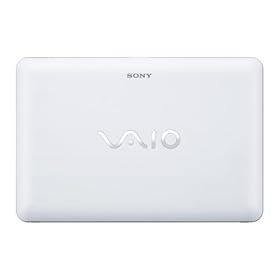
Sony VAIO VPC-W121AX/W 10.1-Inch White Netbook - Up to 7 Hours of Battery Life (Windows 7 Starter)

Diposting oleh fatih

Sony VAIO VPC-W121AX/W 10.1-Inch White Netbook - Up to 7 Hours of Battery Life (Windows 7 Starter)

Product Description

Featuring an ultra-portable design, the Sony VAIO W Series mini notebook is perfect for using as a secondary PC, for surfing the web, checking e-mail, and social networking. It delivers the essential laptop experience--email, instant messaging, Facebook, YouTube, Twitter--in a size so small you can take it anywhere. This model (VPC-W121AX/W) comes in sugar white, but it's also available in berry pink and cocoa brown.
It comes pre-installed with the Microsoft Windows 7 Starter operating system, which combines the latest in reliability and responsiveness with the familiarity and compatibility of Windows. It includes new Windows 7 features like Jump Lists to help you to better find and manage files, and connecting to printers and peripherals is easier than ever.


Read More

ASUS Eee PC 10008P

Diposting oleh fatih

ASUS Eee PC 1008PThe 10008P has some new features about it and ones that will certainly make people take a second look at it. ASUS brought in a top designer to re-imagine the look of the 1008P giving it a Digi-Wave lid which resembles crocodile skin. The design gives it a higher-class look. The 1008P comes in a hot pink or matte coffee finish which may be less desirable to some buyers.

The Eee PC1008P is a lot thinner than most other netbooks on the market with a 1-inch thick chassis. All the ports are hidden behind rubber flaps. There is a mini VGA port on the left side of the device as well as a VGA adapter that pops out of the bottom of the netbook. All the other standard ports are located on the sides of the device though there are only two USB ports as opposed to the more traditional three.

The keyboard and touch pad is the same as the 1005PE. The popular rubber dot touchpad and chiclet keyboard are included as well. Viewing angles are still poor, even with the frame less 10.1-inch screen. Internal specs are basically the same as nearly all of the Pine Trail netbooks on the market with an Intel Atom N450 processor, 2GB of RAM and a 320GB hard-drive.

One of the biggest changes to the device comes with the battery. Due to the thinness of the 1008P, only a three-cell, 31Wh battery could be installed. This means your average battery life is going to be around 3hrs. On a positive not the battery is removable and you can pick up an extra one for around $50 though swapping them out on the go could prove to be annoying.

While the netbook looks great, it seems that the new looks came at the price of performance. The price tag of $499 seemed great at first until the specs came out. You would probably be better off getting a cheaper model that has slightly better specs but a less-than-desirable design.


Looking for Laptop Rental information? Visit our Tech Travel Agent Laptop Rental Page for a variety of laptop rental solutions for business or personal use. Or call today at 800-736-8772.
Read More

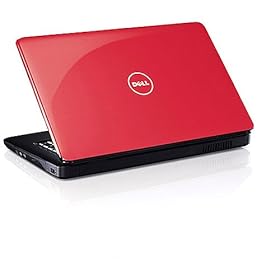
Dell Inspiron i1545 Notebook PC (Cherry Red) - 15.6" Display

Diposting oleh fatih on Kamis, 04 Februari 2010


Product Description 

This laptop features a 15.6" widescreen display and a built-in 1.3MP webcam for video chatting with friends and family. An Intel Pentium Dual-Core processor elevates multitasking capabilities, boosts productivity and enhances your entertainment and Internet browsing experiences.

>>> Read More Review <<<  


Read More

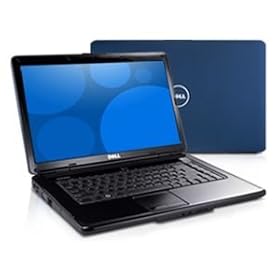
Dell Inspiron 15 (1545) Midnight Blue Laptop Notebook PC: Intel Pentium Dual Core T4200 (2.0GHz /800Mhz FSB/1MB cache), 4 GB DDR2 SDRAM, 160 GB 5400 RPM SATA Hard Drive

Diposting oleh fatih on Rabu, 03 Februari 2010

Dell Inspiron 15 (1545) Midnight Blue Laptop Notebook PC: Intel Pentium Dual Core T4200 (2.0GHz /800Mhz FSB/1MB cache), 4 GB DDR2 SDRAM, 160 GB 5400 RPM SATA Hard Drive , 15.6 WXGA Laptop Screen Display with TrueLife, 8X DVD +/- RW w/dbl layer, Genuine Windows Vista Home Premium

Product Description

Audio and Speakers: Intel High Definition Audio 2.0 , (3) USB 2.0 compliant 4-pin ports, 15-pin VGA video connector, Integrated network connector 10/100 LAN (RJ45), AC adapter connector, Audio jacks (1-line out, 1 Mic-in), 34 mm ExpressCard slot, 7-in-1 Media Card Reader
Read more review...... 


Read More

Dell Inspiron 1545 15.6-Inch Jet Black Laptop - Up to 4 Hours 34 Minutes of Battery Life (Windows 7 Home Premium)

Diposting oleh fatih

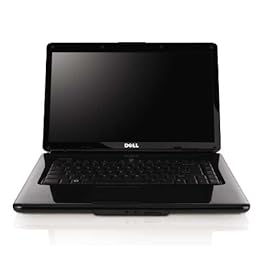
Dell Inspiron 1545 15.6-Inch Jet Black Laptop - Up to 4 Hours 34 Minutes of Battery Life (Windows 7 Home Premium)

Product Description

Stay connected wherever you roam with the Dell Inspiron 1545 laptop in black, which features a bright, vivid 15.6-inch LCD screen and long-lasting 6-cell battery. Weighing just under 6 pounds, it's a great choice for both work and play with the screen's high-definition resolution and included DVD drive (which can also burn dual-layer DVD and CD media). You'll enjoy dual-core productivity from its 2.1 GHz Intel Pentium T4300 processor for excellent multitasking. Pre-installed with the Microsoft Windows 7 Home Premium operating system (64-bit version), you'll be able to easily create a home network and share all of your favorite photos, videos, and music. Windows 7 is the easiest, fastest, and most engaging version of Windows yet. Better ways to find and manage files, like Jump Lists and improved taskbar previews, help you speed through everyday tasks. Windows 7 is designed for faster and more reliable performance, so your PC just works the way you want it to. Read more review...

 
Read More

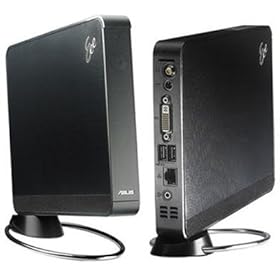
ASUS Eee Box EBXB202-BLK-X0169 Business Nettop PC (Black)

Diposting oleh fatih on Selasa, 02 Februari 2010

ASUS Eee Box EBXB202-BLK-X0169 Business Nettop PC (Black)

Product Description

The Eee Box B202 is a slim and compact desktop PC built around Intel's new power-sipping Atom N270 processor. The Eee Box B202 ships with a stand and a VESA 75/ 100 mount to maximize efficient use of space. It’s remarkably thin profile stands vertically or you can mount the unit on the back of a monitor to transform it into an all-in-one computer. It requires only 20 watts of power, reducing its energy consumption by up to 90% compared to a standard PC. It is Energy Star 5.0 certified, and EPEAT certified. It also runs at only 26dB, which is quieter than a whisper. Equipped with Windows XP Professional, it includes business-friendly features such as remote desktop, synchronization manager, sophisticated access control for documents, file encryption, the ability to become part of a Windows server domain, and more. Built with Express Gate, an ASUS exclusive OS built right into the Eee Box B202, it provides a one-stop gateway to instant productivity. It boots up within seconds of powering on, giving users access to the Internet, online email, photos and more without entering Windows. Lastly a USB keyboard and mouse are included, along with a 1 year warranty. Read more review...

Read More

Choosing the Right Laptop For You

Diposting oleh fatih on Senin, 01 Februari 2010

Choosing the Right Laptop For You

It's a new year and one goal people often have is to purchase a new computer. These days, it seems as though laptops are becoming the computer of choice. Maybe you want to upgrade your current model, or maybe you're making the switch from a desktop, but how do you know which one to buy? There are so many choices out there. And for the average computer user, sifting through them all can be time-consuming and such a hassle that it leaves you somewhat stressed out and maybe deciding against that new purchase after all.

There are so many choices to make with variations in performance, power, price, etc.. The most important thing to know is what you plan to use the computer for. This can help you narrow down what type of laptop you need and go from there. The four main categories of laptops are: netbooks, ultraportables, all-purpose laptops, and desktop replacements. Here, we'll break down each category, so you can decide which one is the right one for you.

Netbooks

Good: If you are always on the go and simply use the laptop to check email or take notes in class or business meetings.
Bad: If you spend a lot of time on your computer and run many different applications.

Netbooks are small, light, and great if you need to carry your laptop around all day with you, but they aren't very powerful. They can be used for mundane tasks such as surfing the internet, checking email, and word processing, but if use your computer a lot, this isn't the computer for you. It might make a good companion to your main desktop or laptop, but I wouldn't buy it as your main computer.

The average netbook is about three pounds and has a screen size of six to ten inches. They cost around $300-400. The small screen resolution and low amount of RAM (usually 1 GB) makes it difficult to work with photos and spread sheets or stream video. Also, many websites, games and other applications won't fit well on your screen. Also, if you ever want to use your laptop to load a CD or DVD, most netbooks don't have optical drives. However, on the plus-side, the average battery life of the newer netbooks is 5-6 hours which is a huge improvement over most laptops.

Ultraportables

Good: If you're on-the-go but need more from your laptop.

Bad: If you play a lot of graphics-intense games or stream a lot of video

Ultraportables are slip and light like a netbook but have a little more power. It may be a little bigger than a netbook, but that's not necessarily a bad thing. You'll get more RAM (usually about 4-6 GB), a larger screen, and more power. If you need more from your computer than the netbook can offer, but you still find yourself on-the-go, then you might want to consider an Ultraportable.

Most screens range from 11-14 inches, and the computers usually weigh about 3 -4 1/2 pounds. Battery life is still fairly decent - 4 to 6 hours - but these laptops will cost you at least $600-800, with some costing even $1,000 and above. Compared to the netbook, your computer will perform much better, especially when you're using multiple applications at once. But while you can use them to stream video or play 3-D games, the quality may not be up to your standards. Also, if you need to load discs, a lot of ultraportables are forgoing the optical drive in the name of being thinner.

All-Purpose Laptops

Good: If you want to customize your laptop to fit your needs.

Bad: If you are on-the-go and need a long-lasting battery.

The all-purpose laptops pretty much fit any need. They are powerful enough to do most anything you want with them, but they are still small enough that they can be portable. In this category, you will find more variety than you will anywhere else. There are laptops with all sorts features, styles and purposes.

On average, an all-purpose laptops has a screen of 14-16 inches and weighs more than 4 1/2 pounds (usually topping out at 8 pounds). Even the most basic of these laptops will have about 4GB of RAM. Prices can be as cheap at $400, but can go up to more than $1500 if you are looking for a lot of add-ons or more power. Optical drives and Blu-ray Disc drives are generally optional on most all-purpose models. And one of the best things about the all-purpose laptops is that you can sort of mold it to fit your needs with upgrades and add-ons; just don't forget you have to pay for them. Also, if you plan to use your laptop outside of your home, most all-purpose models have a pretty short battery life (2-5 hours maximum), so you'll want to be somewhere where you can plug it in.

Desktop Replacements

Good: If you're a gamer, photographer, or video editor.

Bad: If you're looking something portable and light-weight.

If you want to make your laptop your main computer and you want it to function just as your desktop did, the desktop-replacement, also called the "power laptop," may be the right solution. These models are larger with screen sizes from 16-18.4 inches and weigh anywhere from 8 - 12 pounds. When it comes to power, storage, and memory, these models are also top-of-the line. And if you edit graphics or video often, you won't have a problem.

On the other hand, if you're looking for a laptop you can carry around easily, this one isn't what you want. Sure, they're portable and if you use it in your home, they an be moved from room to room without a problem, but lugging them along in a briefcase or backpack all day isn't an ideal situation. And they cost more. Cheaper models may cost around $1,000 but they can get up to about $2,000.

If you're a hard-core gamer or you use your laptop for professional reasons such as editing and uploading video and photos, a desktop-replacement is perfect for you.


The MacBook Pro Laptop Rental is the best choice when needing temporary portable Macintosh Power. It's more durable with more features than the MacBook Air. The MacBook Pro is called the Mobile Warrior by Mac Expert, Danny Fey. Call 800-736-8772 to reserve your next laptop rental.
Read More