Kohjinsha's Prototype Dual-Screen Swivel Netbook

Diposting oleh fatih on Selasa, 06 Oktober 2009

Kohjinsha Prototype Dual-Screen NetbookHave you ever been working on your laptop and thought "man this would be so much easier if I had two screens!"? Well now your little wish is granted with a new dual-screen prototype netbook from Kohjinsha.

Kohjinsha unveiled their prototype at this year's CEATEC and it quickly caught the eye of many event goers. Like myself, anybody who works on dual-monitors knows that it makes work so much easier and more efficient. That feature was one thing desktops had over laptops until recently.

This netbook from Kohjinsha boasts dual 10.1-inch LCD monitors, each of which are capable of outputting either 1024x600 or 1366x768 resolution. If the dual-screens are feeling unnecessary and you want to switch over to a single screen then you can thanks to a unique sliding mechanism. This allows you to hide one screen behind the other when not in use.

Another feature that many people will like is the fact that the base swivels up to 15 degrees. The dual-screened netbook is powered by an AMD Athlon MV-40 as well as a 2.5-inch SATA HDD. It can handle up to 4GB of DDR2 memory and comes shipped with the latest Windows 7 Home Premium operating system.

This isn't the biggest netbook on the market but it isn't the smallest either. This one weighs in under 4lbs and is around 1.7-inches at it's thickest and 0.75-inches at it's thinnest. But this is a small price to pay for the value you receive from the screens. Due to this netbook still being in the prototype phase there is no set price and no release date. The battery life is also something of an enigma. However, considering you have two screens being powered you can probably bet on this thing doing any favors for energy reserves.

Needless to say this is one great innovation in the world of netbooks and this one from Kohjinsha seems to already have a lot going for it. We can only sit in anticipation until more news about this product comes our way.
Read More

Get Slimed with Dell's Mini Nickelodeon Laptop

Diposting oleh fatih on Minggu, 04 Oktober 2009

Dell's latest Mini-laptop is definitely family-friendly. The new version of the Inspiron works like any other Dell laptop, but it certainly doesn't look the same. A green splash of paint resembling Nickelodeon's trademark "slime" covers part of the laptop's outside cover and inside palm rest. The laptop also provides interactive Nickelodeon creative content. In addition, it features mobile connectivity, an optional external DVD drive to watch or burn CDs, and a 10.1 inch display.

Specs include:

  • Processors: Intel® AtomTM N270 (1.6GHz/533Mhz FSB/512K L2Cache) & Intel® AtomTM N280 (1.66GHz/667Mhz FSB/512K L2Cache)

  • Operating System: Windows XP Home Edition SP3

  • Memory: 1 GB, DDR2, 533MHZ

  • Chipset: Integrated Intel® 945GSE UMA Graphics Media Accelerator

  • Graphics: Integrated Intel® 945GSE UMA Graphics Media Accelerator

  • LCD Display: Glossy 10.1 inch display (1024x600) WSVGA

  • Audio & Speakers: Main Speakers (quantity) : 2 x 1.0W and Microphone – Integrated single analog

  • Hard Drives: 160GB77 SATA HDD 2.5 inch 5400RPM

  • Optical Drives: External only

  • Camera: 1.3MP Webcam

  • Wireless: Wi-Fi: Dell 1397 WLAN 802.11g - Half mini-card and Dell 1510 WLAN 802.11g /n Mini Card; Bluetooth: Bluetooth® Internal (2.1+EDR) mini-card

  • Ports, Slots & Chassis: Externally Accessible: Kensington lock, AC Power-in, 3-in-1 Card Reader (SD/MMC/MS), Integrated network connector 10/100 LAN (RJ45), VGA connector, (2) USB and (1) Power USB, Audio jacks (1 line-out, 1 Mic-in); and Dimensions and Weight: Height 26.8 – 28.3 mm (front – back), 1.06 – 1.11 inches (front – back), Width: 261mm, 10.26 inches, Depth: 182mm, 7.19 inches, Starting weight: 2.5 lbs8 with 3 Cell battery

The Nickelodeon Dell Inspiron Mini Laptop can be yours for $329.

Read More

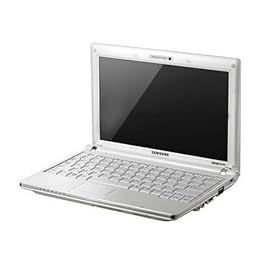
Samsung NC10 AnyNet 10.2-inch Netbook (Intel Atom N270 1.6 GHz, 1GB RAM, 160GB HDD, Intel GMA N270, XP Home) White

Diposting oleh fatih on Sabtu, 03 Oktober 2009


Product
Description
NC10-anyNet: Designed for the "mobile life". Designed for the highest standards in innovative design. The ultra-compact and lightweight housing offers a range of practical features to simplify life on the road. Brilliant technology adapted to the rapid and digital life for even more mobility.

Slim design
With an optimized 10.2-inch widescreen display for a flawless visual experience that is the lean NC10 only 1.19 cm high and fits in almost every pocket. The rugged enclosure provides maximum comfort and reliability, and quality ergonomics and style.

Videoconferencing
Whether video conferencing or live messaging - the integrated 1.3 megapixel camera makes it even easier with friends, family and colleagues to keep in touch. The camera combines the resolution and image quality of a still camera with sustained high frame rate of a video camera.

Robust housing, durable and reliable
Feel secure with the sturdy Protect-o-Edge casing that stands for durability and reliability. An elaborate series of 54 quality tests, ranging from rapid temperature change to electrical surges, ensuring new standards in terms of resilience and endurance.

Antibacterial Keyboard
The SilverNano technology coats the small keyboard with nano-silver ions, which prevent the survival and the re-emergence of bacteria. Within 24 hours will be 99.9% of all bacteria are killed and there is a hygienic work environment.

Lightweight
As one of the world's lightest 10.2-inch mini-notebook in its class, weighing only 1.45 kilograms, is the NC10 fully loaded with the latest technology and guarantees maximum mobility and performance.

Complete notebook keyboard
The full notebook keyboard offers optimal writing comfort. Ergonomic design and optimized key spacing make working and communicating more comfortable and allow faster and flawless writing.

Fully equipped for easy data exchange
Easy data exchange through a variety of connection options, including a card reader and three USB ports, so you can easily transfer pictures, movies and data to and from virtually any modern camera, peripheral or audio-visual equipment.

Product
10.2 "Samsung NC10-anyNet N270W3

More Review...
Read More

Samsung - NC10 XI0V 1270W - Mini Notebook - 10.2''WXGA - Atom N270 - HDD 160 GB - 1024 MB - XP Home - White

Diposting oleh fatih

Technical Details
Product Description: Samsung - NC10 XI0V 1270W - 10.2''WXGA - Atom N270 - HDD 160 GB - 1024 MB - XP Home - White Product Type: Notebook Operating system: Windows XP Home Edition Technology: Intel Atom Processor Technology Processor: Intel Atom N270 Fréquence: 1,60 GHz Chipset: Intel 945GSE + ICH7M FSB: 533 MHz L2 cache: 512KB Size and type of screen: 10.2''LCD SuperBright Standard Resolution: WSVGA (1024 x 600) Graphics Processor: Mobile Intel GMA 950 Video Memory: Up to 256MB with DVMT technology External resolution and maximum frequency: 2048 x 1536 - 85Hz RAM: Installed 1024 MB (1 x 1024 MB) Maximum 1024 MB DDR2 SODIMM (533MHz PC2-5300), Location (s) 1 used Hard Drive: 160 GB Capacity, Speed 5400 RPM, SATA Type Connectivity: Wifi Atheros AR5007EG Wireless Adapter - 802.11b / g, Bluetooth antenna and Integrated Map - Version 2.0 + EDR (Enhanced Data Rate), 10/100Mbps Ethernet, Network Card Integrated Webcam (1.3 Megapixel), Wireless Communication ( Fi) 802.11b / g Type of Sound: High Definition Audio Speakers: Integrated (2 x 1.5 W) Microphone: Integrated microphone with connector for external microphone Interfaces: 3 USB 2.0, Modem / Network - / 1 RJ45, VGA Video Output, Input and Output Audio MIC-in, Headphone / Speaker out, Memory Card Reader 3 in 1: SD card / MMC / SDHC 1.3 Megapixels Webcam Yes Bios: 2 level BIOS password Kensington attached: Yes Standard battery (included): Smart Li-Ion 6 cells Long battery (optional): Smart Li-Ion 3 cells AC adapter (included): 40W (100-240V) Materials used: PC-GF, PC-ABS Mouse / Pointer Built: 84 keys / Touchpad with scroll zone Software Recovery: Samsung Recovery Solution III Other Software: McAfee Virus Scan, Easy Network Manager, Easy Display Manager, Samsung Magic Doctor, Easy Battery Manager, Samsung Update Plus - Play Camera Dimensions (W x D x H): 261 x 185 x 30 mm Weight: 1.33 Kg (with 6 cell battery)
Read More

ASUS X5DIJ-SX018L 15.6 inch Notebook PC (Intel Pentium Dual Core 2 GHz, 2GB RAM, 250GB HDD, NVIDIA GeForce 4500M, DVD + / -/dl, Linux)

Diposting oleh fatih on Kamis, 01 Oktober 2009


Product
Description
Smarter-rounder at a bargain price. If you already have an operating system can properly save. Designed for great comfort and an outstanding multimedia entertainment, the Asus X5 is aimed at all users who are looking for a mobile, persistent and simultaneously send PC companion for traveling as well as at home or in SoHo (Small Office / Home Office) at an attractive price.

For every taste
The model has a superb facilities including the latest Intel ® processor technology, 2 GB RAM, 320 GB HDD, integrated graphics, and all popular interfaces, including wireless-N. In order to meet the individual preferences of all-rounder user account. Who particular emphasis on a fast processor speed, puts a large display screen is best discussed with the X5DIJ.

For the perfect cinema feeling at home and on the go
To provide users of the X5DIJ a diverse entertainment experience that delivers high-quality equipment in addition to the ASUS also with a comprehensive multimedia package. Included are two integrated Altec Lansing ® speakers and a professional SRS ® surround sound system, an 8x DVD-Super Multi Double Layer drive, a 1.3 megapixel Web-/Videocam and an extensive multimedia software package. For the perfect cinematic experience outside of any movie theater make beyond the 15.6 "wide Color Shine glare type screen. The display is perfectly matched to the movie 16:9 widescreen format, so the film can be enjoyed without black bars at the top and bottom of the screen. High resolution and fast response time while providing a sharp, rich playback of images and colors.

IceCool Technology
Thanks to the innovative technology has enabled ASUS ASUS IceCool the ventilation openings placed so favorable that the temperature of the palm rest pleasantly low 27.6 to 27.7 degrees Celsius is not exceeded. Thus, the ASUS X5 guaranteed even in the hours of operation and especially in summer temperatures comfortable work.

Infusion Design
For a smart look which makes ASUS's own "infusion technology," which gives the display cover a shimmer for a fresh, modern appearance while protecting against scratches.

In regard to installing Windows XP or Windows Vista
The pre-installed Linux has no graphical user interface. After turning on or booting is therefore only a command prompt (Username = root and password).

Installing Windows XP
Move F2 into the BIOS under IDE settings and set the SATA mode to 'Compatbile'. Install Windows XP Service Pack 3 and get to the drivers that you see

Click more review

Read More Review...
Compare Lowest Price


Installing Windows Vista
A driver CD for Windows Vista is shipped. There are no BIOS adjustments needed.
Read More

Tales of the Document Camera

Diposting oleh fatih


This year has been exhausting. More students, more preps, more demands of increased test scores on writing and reading. More, more, more with less given back. This equals exhaustion.


As a ninth grade team, one of our essential learnings is for our students to write with a critical and argumentative intent. Our common assessment working towards meeting this essential learning is having our students compose thesis statements that state the title, author, answer the question asked and provide a value as to “why” that is the answer. With every story we read, we write a thesis statement working towards proficiency. By now, my kids have composed at least 7 thesis statements on various short stories from Frank Stockton’s “The Lady or the Tiger” to Richard Connell’s “Most Dangerous Game” to David Brenner’s “Fish Eyes.” All of these stories focus on our essential question of the semester “How do words and actions affect who others become?” We have written out our thesis statements on note cards, posted our thesis statements on our class blog, and shown them to one another using the document camera. Ahh, the document camera…


I can’t tell you how much I love this piece of equipment. After having laptops for four years, I am so used to the instantaneous power of learning and immediacy of information. When I have taught student writing before, we always exchange papers with USBs to edit one another’s work and to showcase writing workshop tips and suggestions. It takes time loading one’s paper, and getting the kids to emulate the strategies I am demonstrating on a student’s papers. But it is worthwhile to see them learn from one another.


This year with the document camera is different though. I am not sure if it is just the tool, or the amount of writing my all boys’ class is doing, but they can’t wait to share their writing with the class using the document camera. On Wednesday, I asked the students “who would like to share their writing so we can learn together from the editing process?” Almost 2/3 of the class had a paper they wanted to share. They all wanted to use their writing as an example so that the rest of the class could give feedback to the paper under the camera. As we talked through the paper, sentence by sentence, paragraph by paragraph, the students were making the changes to their own paper that they were seeing on the screen. The kids were visually learning and kinesthetically learning. Kids weren’t just sitting idly by while I was helping one student; through my review of helping one student’s paper, we were all working together learning from one another’s examples and mistakes.


Reflecting, I am not sure if the excitement over editing was from the free editing, the sharebility of ideas, the feedback for writing, or that they are all boys and feel “ok” with sharing their work since there is no female pressure (I remind them all the time that I am a female, but they tell me I don’t count). I am saddened though that I lose my document camera next week. Hopefully, the technology gods can come to my rescue and replace it with one I can keep, because I can see real continued use of this not with just writing, but the reading process as well. Rather than kids just sharing their ideas out loud- which I love but know it doesn’t meet all kid’s learning needs , some kids can share their thoughts through the document camera that are written into their own books. Kids can show their questions, their thinking process, their inferences and connections.
Read More

Toshiba' Slim T100 Series Gains Windows 7

Diposting oleh fatih on Selasa, 29 September 2009

Windows 7With the anticipated launch of Windows 7, we are seeing a ton of new laptops coming out that already have Windows 7 integrated into them. Toshiba has just launched a new line of slim laptops entitled the T100 series. Toshiba has unveiled two new laptops for the T100 series, the 13.5-inch T135 and the 11.6-inch T115. Each device is less than one inch thick with multi-touch touchpads and LED backlight displays.

One new feature included in the T100 series, as well as most of the recent Toshiba laptops, is the extremely useful sleep-and-charge feature. The sleep-and-charge feature lets you connect an iPod or other device to the USB port to allow you to charge them even if the system is in sleep mode or off.

These two devices have some nice specs about them. The T115 comes with your choice Toshiba T115 of an Intel Pentium processor SU4100 or Intel Celeron processor 7435 and a starting 250GB (5400 RPM) HDD7 disk with up to 4GB of memory. The T115 also has Windows 7 Home Premium OS, eSATA/USB combo port with USB Sleep-and-Charge, 1 HDMI port, built-in webcam with Toshiba Face Recognition, stereo speakers, microphone, 5-in-1 memory card reader slot, Toshiba Hard Drive Impact sensor, 802.11 b/g/n wireless 8 10/100 Ethernet, a 6-cell battery with up to 9hrs of charge and an 11.6-inch diagonal widescreen HD TruBrite LED Backlit display. All of this comes in at around $450.

The T135 comes with your choice of an Intel Pentium SU4100 processor or Intel Toshiba T135Pentium SU2700 and a starting 250GB (5400 RPM) HDD disk with up to 8GB of memory. The T135 also has Windows 7 Home Premium OS, eSATA/USB combo port with USB Sleep-and-Charge, 1 HDMI port, built-in webcam with Toshiba Face Recognition, stereo speakers, microphone, 5-in-1 memory card reader slot, Toshiba Hard Drive Impact, 802.11 b/g/n wireless and 10/100 Ethernet, a 6-cell battery with up to 9hrs of charge and a 13.3-inch diagonal widescreen HD TruBrite LED Backlit display. The T135 is a little more expensive than the T115 coming in at around $600.

With the release of Windows 7 growing ever nearer, we can expect most laptops coming out in the future to be equipped with Windows 7 and if Windows 7 delivers even some of what it promises then we can all be excited. You can pick up both the T115 and the T135 on October 22, 2009.
Read More