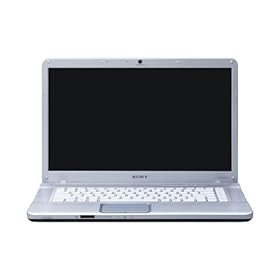
Sony - Vaio VGN-NW21EF / S - Notebook 15.5 "- Intel Pentium T4300 - Windows 7 - Webcam 0.3 Mpix - Bluetooth - HDD 320 GB - Silver

Diposting oleh fatih on Sabtu, 31 Oktober 2009


Technical Details
Product Description : Sony - Vaio NW21EF / S
Product Type : Laptop
Processor : Intel GM45 Express Chipset
Operating system : Windows 7 Home Premium
Display : 15.5 inch LCD
Resolution : 1,366 x 768 WXGA
Graphics : Graphics Processor ATI Mobility RadeonHD 4570
Camera : 0.3 megapixels
Resolution max. moving image (pixels) : 640 x 480 (VGA)
Mouse : Touchpad
Optical Drive Fitting : Built
Optical Drive Type : DVD +-RW / +-R DL / RAM
Interface : Memory Stick, SD Card Slot, USB, HDMI
Connectivity : Integrated LAN, Ethernet, Wireless LAN
Hard Drive : 320 GB
Memory : 2 x 2 GB
Power : Rechargeable lithium-ion battery (VGP-BPS13)
Dimensions : 249 x 29.1 x 370 mm
Weight : 2.7 kg
Color : Silver
Manufacturer Warranty : 1 year
Compare Lowest Price
Read More Review...
Read More

AVG AntiVirus Free 8.5.420a1708

Diposting oleh fatih on Kamis, 29 Oktober 2009

With this free distribution version of the popular AVG Anti-Virus system, you will get a reliable tool for your computer protection against computer viruses.

Features:

* Automatic update functionality
* The AVG Resident Shield, which provides real-time protection as files are opened and programs are run
* The AVG E-mail Scanner, which protects your e-mail
* The AVG On-Demand Scanner, which allows the user to perform scheduled and manual tests
* Free Virus Database Updates for the lifetime of the product
* AVG Virus Vault for safe handling of infected files
* Great customer satisfaction!

Please note that any previous version of AVG Free will be un-installed automatically during the installation of the new AVG Free.

OS: Win 2000/XP/2003/Vista
Size: 68.10MB

Download


Read More

Choose a Laptop with Microsoft's Windows PC Scout

Diposting oleh fatih on Sabtu, 24 Oktober 2009

Choose a Laptop with Microsoft's Windows PC Scout


Microsoft has launched a new website - Microsoft.com/Windows/PC-Scout. The website features a flash audio guided tour, which is meant to help you find a new laptop. It takes you through three segments, including Laptop 101, Recommendation, and Selection. Respectively, in each segment, you'll learn everything you need to know about laptops in general, answer questions about what you need in a new laptop and get a few recommendations, and then you have the opportunity to make a final choice and purchase your laptop. The tour is not mandatory and you can skip any part or pause it if you need to come back to it later. Looking for a desktop? Check back later. Or says the male voice behind the website. Either way, you're out of luck right now.

If you already know what kind of laptop you're looking for, you can skip the first two sections and get straight to the selection part to choose your laptop based on a number of different categories. They are: price ($400 - $2600), screen size (8 - 19"), processor (1 GHz - 3GHz), RAM (1GB - 5GB), storage (50GB - 550GB), and weight (2lbs - 10lbs). You can also select whether or not you need an all around, mobile studio, movies on the go, power gaming, or work from anywhere laptop.

Microsoft claims the selection of laptops comes from a compiled list from Windows experts and the final selection has nothing to do with any sort of paid advertising. Right now, the website contains 46 various laptops, but more are likely to follow in the weeks ahead, especially with the release of Windows 7. The website isn't too detailed - your average computer user should feel comfortable with it, and the most tech-savvy folks probably won't see the need for it.

Read More

Another Reason Not to Travel with Your Laptop

Diposting oleh fatih on Selasa, 20 Oktober 2009

Another Reason Not to Travel with Your Laptop

Troy Davis, a former officer with the Transportation Security Administration, has admitted to authorities that he stole laptops and video game systems from passengers' checked luggage. Davis used to work as an airport screener at Philadelphia International Airport.

A baggage handler spotted Davis taking a laptop from a suitcase and hiding it behind an explosive-detection machine earlier this year. The witness notified supervisors who later discovered four laptops and a game console in the same area.

The 36-year-old Davis pleaded guilty yesterday to the charges and will be sentenced by a federal court in January.

It seems as though nothing is safe these days, especially when you are traveling. Once your luggage leaves your hands, you can never be exactly sure where it'll end up or whose hands it will fall into. Could a devious airport employee like Troy Davis be waiting for the bag, containing your laptop, to pass through security? Could your entire suitcase get lost and end up in a city 2,000 miles away from where you are going?

These are certainly things to consider when packing, whether it be for a business or personal trip, but these incidents are avoidable. Whether you're traveling to a business meeting or just taking your laptop along on the family vacation, so you can keep up with your business, you should always consider a quality Laptop Rental, instead.

There are so many different ways to save your data and most of them are compatible with almost any computer. Worried about the cost? A rental fee is a small price to pay compared to the potential thousands of dollars, not to mention the sentiment from personal files, you could lose when traveling. Instead of risking theft, loss, or damage to your personal computer, consider having a rental meet you at your destination.

Read More

This I Believe Goes Global- We Want You!

Diposting oleh fatih on Senin, 19 Oktober 2009

For the past three years, I have had my classes write their versions of National Public Radio’s “This I Believe” segment. I was introduced to this idea by a colleague and have been always impressed by what my students hold as their personal values and beliefs. Writing these essays has allowed for them to do something they don’t get to do all that often at school - express their heartfelt beliefs. After writing the essays the first year, we submitted them to NPR, but we also decided to podcast them ourselves – no need to wait to see if NPR might choose to broadcast them. The writing was good at expressing their values, but once their voice was added to their written expression, WOW, it simply transformed that personal essay. Instead of the words simply being words, the words conveyed deeply held emotions. Now, this is the standard.Previous class examples:
Period 2 06-07
Period 5 06-07
Period 3 06-07
Period 2 07-08
Period 5 07-08
Period 3 07-08
Wiki 09-10

We are approaching that time of year, when I am going to start the kids on this writing adventure, but this year I wanted to invite you in the blog-o-sphere to join us again. I want “This I Believe” to go global. I want my students to benefit not only from knowing what their peers believe, or what the other AHS classes believe, but to hear and see what the world values. What do kids elsewhere in the U.S. believe in? What do kids elsewhere in the world believe in? What do some of the learned professionals that I know believe in? I want my students to walk away from this experience realizing the power they have as professional writers as well as connecting to other teenagers and adults from around the world. I want to see them exchange ideas, foster relationships, and appreciate the variety of perspectives. Maybe you can challenge your principal, your school board members, your local politicians, heck, maybe your entire school. Maybe we can even get our President to write his own “This I Believe.”

So, how do we accomplish this? Karl Fisch, of course, is willing to be my master facilitator. He has set up a wiki (still a work in progress) that will provide the guidelines for the classes to follow. I am making Maura Moritz’s classes join us again, so there will be four classes (ninth grade, 14 and 15 years old) from AHS writing and podcasting their essays: Moritz 3, Moritz 4, Smith 2, and Smith 5. We are hoping to attract at least three other classes from around the world, one each to pair up with each of our four classes. If we get more than four classes that are interested, then we will try to pair up any additional classes with another class somewhere in the world. If your class(es) are interested, please complete this Google Form with some basic information (your name, your email address, school name, location, grade level(s)/ages, how many classes, number of students in each class, and time frame that you’d like to do this) so we can setup those partnerships. (Our thinking is that pairing one class with one class will keep this from becoming too overwhelming for the students, although of course anyone can read/listen/comment to any of the essays on any of the wiki pages).We will create a wiki page for each set of paired classes and each student will upload their written essay as well as their podcast (the podcast can either be uploaded directly to the wiki, or you can use a variety of other services for that and then link to them). Each pair of classes will be in charge of their own wiki page and we’ll use the discussion tabs on each page to give feedback to the students. If you are an adult interested in writing a piece yourself, simply add them to the “adults” page on the wiki. I am hoping to get some notable edubloggers as well as my superintendent, CIO, and others to participate. It would also be helpful to include a brief bio so the kids can know who they are reading about.Obviously you don’t have to do this with us or on our wiki, you can create your own. But we thought it might be interesting and helpful to have one wiki that aggregated all these essays/podcasts, one place that students (and others) could visit to learn about beliefs all over the world.

Wondering where to start? NPR has a number of education friendly links to help you along the process:
For Educators
For Students
Essay writing tips
How to contribute an essay to NPR

Timeline: For our classes we are going to start writing our essays, November 6th with a final due date of November 13th for their essay. The following week they will begin podcasting their essays. The paired classes don’t have to match this timeline exactly (although that would be great), but we’re hoping they can have theirs completed by Thanksgiving so that the students can start commenting on each other’s essays/podcasts.But for other pairings you can set whatever time frame works best for you – that’s the beauty of the wiki, it’s a living document with no “end” to the assignment (although that’s why we need you to include your time frame when you email us so that we can try to match folks up). We would really appreciate any feedback (now or as this progresses) to make this an experience that is truly relevant and meaningful for these kids.
Read More

Sony VAIO X Series Ultra Thin Laptops

Diposting oleh fatih on Jumat, 16 Oktober 2009

Sony VAIO X SeriesIt seems, in the computer world, that thin is the way to go theses days. When the MacBook Air was released by Apple, many of us thought that we couldn't get any thinner. well we were wrong. Sony's VAIO X Series of laptops has proved to be smaller, thinner and lighter than the MacBook Air. While looking at this laptop, you may notice the Intel Atom processor and compare it to be the same as other netbooks. However, this machine is something different completely.

How is this netbook so thin you may ask? Well for starters, the motherboard has all of its components soldiered onto one side of it. In addition to that, all the components are stuffed into the back of the motherboard leaving the front half to house the battery. This interesting choice of design has resulted in the thinnest machine on the market coming in at 16mm throughout. If you want to plug in an Ethernet cord, then you are going to have to the drop-down legs at the back of the netbook because the Ethernet connection is thicker than the actual laptop.

The keyboard has nice spacing, allowing you to easily type at speed. However, the keys only move a fraction when under pressure and don't have much space for travel which will not suit all users. The touchpad is tiny but responsive allowing precise control and the accompanying buttons are somewhat big and do not offer much movement. The X Series comes with an 11.1inch display which is expected for a mid-range laptop although this is better than nearly any one currently on the market. It has amazing color reproduction and comes with a 1366x768 pixel resolution.

Just like the VAIO P Series, the X Series has an Intel Atom Processor and came in at 2GHz offering enough power for most of your office tasks. It also comes with a 256GB solid state drive but only only has 2GB of memory. The X Series chassis is made out of carbon fiber which helps keep it light at a 775g. But this light weight comes at a price. The body flexes heavily under light pressure. But the carbon finish and glossy lid makes the device feel like a premium product.

The X Series is limited on ports having only two USB ports located on the left side of the device and one VGA and one Ethernet on the right side. Support for SD cards can be accessed on the front as well as a place for Sony's memory stick formats. The X Series has 802.11n Wi-Fi as well as Gigabit Ethernet and range topping models get 3G/HSDPA with the SIM card sliding in behind the battery. As soon as you see this thing your first reaction is going to be "whoa". It literally is that small. If you are a business man who values tiny dimensions as well as the lowest weight possible then the VAIO X Series is the exact laptop for you.
Read More

Freeware Panda USB Vaccine 1.0.1.4

Diposting oleh fatih on Kamis, 15 Oktober 2009

Panda USB Vaccine is a free utility from Panda Security Research which helps prevent malware infections due to the autorun feature of Windows Operating Systems. Once executed the user can choose two types of vaccinations: Computer Vaccination or USB Drive Vaccination.

USB Vaccine allows users to vaccinate their PCs in order to disable autorun completely so that no program from any USB/CD/DVD drive (regardless of whether they have been previously vaccinated or not) can auto-execute. This is a really helpful feature as there is no user friendly and easy way of completely disabling autorun on a Windows PC.

Panda USB Vaccine can be used on individual USB drives to disable its autorun.inf file in order to prevent malware infections from spreading automatically. When applied on a USB drive, the vaccine permanently blocks an innocuous AUTORUN.INF file, preventing it from being read, created, deleted or modified. Once applied it effectivelly disables Windows from automatically executing any malicious file that might be stored in that particular USB drive. The drive can otherwise be used normally and files (even malware) copied to/from it, but they will be prevented from opening automatically. Panda USB Vaccine currently only works on FAT & FAT32 USB drives. Also keep in mind that USB drives that have been vaccinated cannot be reversed except with a format.

OS: Win 2000/XP/Vista
Size: 829KB

Download


Read More

Cellphones in the classroom- POLLEVERYWHERE ROCKS

Diposting oleh fatih on Selasa, 13 Oktober 2009


This past week, I wanted to get the kids thinking about the role of our government, who do they work for, what is the role of mass media, who controls us, are textbooks accurate (ask Gary Stager about this), etc…

We just finished our unit on Macbeth and Lord of the Flies, where we were looking at the question “What does it take to challenge the system?”. We are going to continue pursuing this question now through our study of Fahrenheit 451 and a couple of short stories “The Pedestrian” by Ray Bradbury and “Harrison Bergeron” by Kurt Vonnegut. Also, to get the kids thinking about technologies role in their lives in connection with the novel, we watched Dr. Wesch’s A Vision of Students Today and The Machines are Using Us. (Of course, we already have watched the infamous DYK).

In order to get the kids to shift into a new novel, and while continuing to thinki about those questions above, I created a poll via polleverywhere.com where the kids in pairs, could discuss a question and then text in their answer to our class poll. This created a lively discussion amongst the class! Wow- these kids were on fire. The combination of technology, questions, group work, and a classroom where we operate under the motto “This is NOT education as usual” made this an amazing day. The poll was extremely easy to create and it was fascinating to ask the kids to defend their answer or different answers, change sides, or limit their responses to a few words. The questions I asked were from a study guide that I used to use. I am anxious to keep on implementing this easy tool that is FREE as a quick gauge for understanding or to pose thoughtful questions helping the kids to take sides.
Read More

First Notebook with Dual Screens: ThinkPad W700 Rentals

Diposting oleh fatih on Rabu, 07 Oktober 2009

Thinkpad W700 Rentals
Lenovo's ThinkPad W700 is the first notebook computer with dual screens. How does that work exactly? Well, it features a 10.2 inch display which slides out from behind a 17-inch widescreen. The editors at PC Mag rate it "very good" and use the term "supercompuer" in their review. It even won their Editor's Choice award in the workstation category.

It's heavy, but it's powerful - powered by an Intel quad core processor and a NVIDIA Quadro mobile graphics card - and it's got a lot of neat features. Those features include a Pantone color sensor, a Wacom digitizer that is made into the palm rest, dual 160GB hard drives and ISV certified graphics. It also has five USB ports, a FireWire port, a webcam, and a fingerprint reader.

While many notebooks are usually specific to one part of the population, the Thinkpad W700's features will accommodate anyone. Whether you are a gamer or business professional or graphic artist, this computer has what you need all built into one. While many workstations emphasize style over substance, this one takes the professional route and focuses on performance.

To rent the first notebook with dual screens, visit our website to get a fast quote on the Lenovo ThinkPad W700 or call us at 1-800-736-8772 today.
Read More

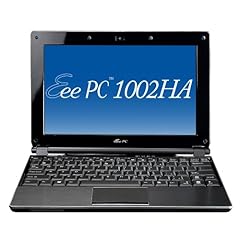
Asus Eee PC 1002HA 10-Inch Netbook (Intel Atom N270 1.6 GHz, 1GB RAM, 160GB HDD, Intel GMA 950, XP Home) Black

Diposting oleh fatih


Product

Product description from manufacturer

Slim, light, elegant: The Eee PC 1002HA with a casing of brushed stainless steel and 160 GB hard drive
The Eee PC 1002HA combines practical functionality with sophisticated design and brings a touch of elegance to the everyday mobile computing


ASUS, which expands the fastest growing notebook brand to its already multi-award winning Eee PC family with a new member: the Eee PC 1002HA. The Microsoft ® Windows ® XP Home newbie equipped primarily aimed at the style-oriented PC users, on the one hand puts great emphasis on functionality and mobility, and the other to an elegant look and light weight. Highlights of the novice, in addition to the 10-inch display, the power-saving 1.6 GHz Intel ® Atom ™ processor and 160 GB hard disk especially its completely new look. Unlike the Eee PC 1000H Eee PC 1002HA excels with a particularly low level of only 2.7 cm and weighing just 1200 grams this is the "Mini" considerably thinner and lighter than most netbooks currently available on the market . Particular emphasis is the Eee PC 1002HA through the use of brushed stainless steel on the display lid and on the palm rest. The stylish material gives the Netbook is not only stylish, but also an exceptional stability. Linked by the Eee PC easy use, with the typical high-quality optics of the Eee PC 1002HA combines practical functionality with elegance and in this way brings a bit of exclusivity in the computer everyday.

Powerful mobile companion - both professionally and personally
The Eee PC 1002HA is equipped with a variety of properties that have been specifically designed to make the users in the era of the 'mobile computing' everyday life more pleasant. To deliver the 10-inch WSVGA display with LED-backlit display (resolution: 1,024 x 600 pixels), a brighter, high-contrast image, and consumes little energy at the same time. Thanks to the big screen, large-format documents can also be easily viewed without scrolling back and forth again and again to have. And the entry meets the needs of users: Despite the small form factor, the Eee PC 1002HA has a standard keyboard, which is also entering longer texts easily achievable. Furthermore, the netbook also has a multi-touch pad that allows the navigation easier on the fingers.

Connectivity and entertainment on-the-go
The Eee PC 1002HA is demonstrated in daily use as a particularly sociable: The combination of built-in digital array microphone and 1.3 megapixel camera enables mobile videoconferencing - whether for business or pleasure - anytime, anywhere. In addition, the built-in Bluetooth 2.0 interface, an uncomplicated, wireless exchanges between the Eee PC represents a variety of Bluetooth-enabled devices capable of safely. For a fast connection to the Internet provides the integrated 802.11n wireless module to access data or Internet pages nearly everywhere realized via hotspots. Using the read built-in 4-in-1 card reader, the user is also able to format the MMC, SD, Memory Stick and MS PRO. Over the three USB ports can also be connected to a printer or other peripheral devices. For entertainment on-the-go "features the new netbook MP3 and video capabilities including a headphone set. The recovery thus takes place within seconds, the user can boot the F9 key with just a single touch the system again or produce.

Intelligent power management for long mobile working
The new Eee PC 1002HA scores not only with its sleek and stylish exterior, even in terms of energy efficiency is quite small in size. To the newcomer - as well as the exclusive equipped Eee PC S101 - with the power saving feature Super Hybrid Engine (SHE), which is out of the Power4 Gear Hybrid application and the Energy Processing Unit (EPU) is. While the Power4 Gear Hybrid feature the user has three performance profiles, allowing him to make friends' unique keystroke settings to suit the user scenario, determine the EPU the exact power requirements and adjusts them accordingly. Associated with the polymer battery, the user is, depending on the application, to benefit from a long battery life of up to five hours.

Combination of physical and online storage provides even more flexibility
In addition to the built-in 160 GB hard drive provides ample space for data, pictures and even videos, which contains the Eee PC 1002HA 10 GB of online storage space for the exclusive ASUS Eee Online Storage. This provides an enhanced storage capacity and enables users at any time and from any location provided from: - Internet access - access their documents and share them with their friends and family. To protect data from unauthorized access, each user can secure them with the help of a self-created password.

Product
10 "LED Asus EeePC 1002HA Black

More.....
Read More

Wondering About Writing Conferences

Diposting oleh fatih on Selasa, 06 Oktober 2009

Over the course of my teaching career, I have discovered the value of individual writing conferences with my students. It is not as though the written feedback I provided for so many years wasn’t valued, but more so that I watched student after student simply turn to their assigned grade and then put the returned paper away never to be seen again- lost to the abyss of the backpack.

After some time, I thought, why am I spending all this time writing this great feedback when it seems that students are just tossing it aside and moving on to the next piece? I also came to the realization over the past few years that writing shouldn’t be a one-time only process but that we should continue to teach kids of the process not simple completion. And so entered the 1-1 writing conference.

Since we have a variable schedule here at AHS, we have the ability and convenience to meet with students on our off hours. I usually have kids schedule meetings with me when we have the same unscheduled time, and if that doesn’t work, before or after school. This year, I have met with all my students to go over some piece of writing. With my freshman it was their initial writing piece (we call their writing sample) to see where our students are in their writing instruction. For the most part, I am not sure if I am going to continue this practice. I see the value in having a pretest of their abilities, but many don’t know how to write and so I end up teaching them how to compose a formal essay anyway. I guess I am lost as to the purpose of the prewriting assessment as a real means of learning. I suppose I could have them take their first writing samples and look back at them at the end of the semester to comment and reflect on their growth as writers (that is hoping that they grow J). My seniors use their writing conference time to review their college essays before final submission. I really enjoy this time with them, getting a chance to help polish a piece that speaks loudly of their accolades and experiences. With all writing conferences, the time to instruct one on one, hearing their questions and comments by receiving direct feedback is so valuable. Additionally, by having the students come in to see me, many students come to recognize the connection that teachers are here to help them get better at learning. I think this is definitely one of the most important aspects of my teaching and my classroom.

With both of these writing conferences, I transition to different conferences for the next meetings. There are two methodologies I use and feel are valuable, but I am unsure if one way is necessarily better than the other. One way I conference is before they submit a final piece to be graded. I see real promise in helping kids develop their writing skills before receiving final grades on papers so that this conference can help with preventative measures. The problem with this is it assumes (you know what happens when you assume) that grades are final, there is a due date, and that the writing process has ended on this paper.

The other way I do conferences is post submission, post due date. I like this idea because it gives kids a chance to correct mistakes on their papers with my written feedback, but I often feel as though then I am simply an editor for their paper and they are fixing the little things, not the ideas, arguments, etc… I think there is value to this because it focuses on the process rather than the grade, but the students who simply view me as their professional corrector makes this much more challenging.

I still see relevance in both, but am unsure if there is one method that works better than others. With increasing my student numbers in all my classes, this semester I have had student conferences at every single off hour plus before and after school, so I know that the conferences are meaningful. I am just wondering if I need to focus more on the preconference or post conference. Maybe I should let the kids pick which one works better for them? Also, the conference is something I require because I do feel it is so valuable, but I wonder after the initial writing conferences, if I should see if they come to me if there is no requirement?(a supposed “Build it and they will come”-thank you Kevin Costner).

Just a lot of questions here, no real answers.
Read More

Kohjinsha's Prototype Dual-Screen Swivel Netbook

Diposting oleh fatih

Kohjinsha Prototype Dual-Screen NetbookHave you ever been working on your laptop and thought "man this would be so much easier if I had two screens!"? Well now your little wish is granted with a new dual-screen prototype netbook from Kohjinsha.

Kohjinsha unveiled their prototype at this year's CEATEC and it quickly caught the eye of many event goers. Like myself, anybody who works on dual-monitors knows that it makes work so much easier and more efficient. That feature was one thing desktops had over laptops until recently.

This netbook from Kohjinsha boasts dual 10.1-inch LCD monitors, each of which are capable of outputting either 1024x600 or 1366x768 resolution. If the dual-screens are feeling unnecessary and you want to switch over to a single screen then you can thanks to a unique sliding mechanism. This allows you to hide one screen behind the other when not in use.

Another feature that many people will like is the fact that the base swivels up to 15 degrees. The dual-screened netbook is powered by an AMD Athlon MV-40 as well as a 2.5-inch SATA HDD. It can handle up to 4GB of DDR2 memory and comes shipped with the latest Windows 7 Home Premium operating system.

This isn't the biggest netbook on the market but it isn't the smallest either. This one weighs in under 4lbs and is around 1.7-inches at it's thickest and 0.75-inches at it's thinnest. But this is a small price to pay for the value you receive from the screens. Due to this netbook still being in the prototype phase there is no set price and no release date. The battery life is also something of an enigma. However, considering you have two screens being powered you can probably bet on this thing doing any favors for energy reserves.

Needless to say this is one great innovation in the world of netbooks and this one from Kohjinsha seems to already have a lot going for it. We can only sit in anticipation until more news about this product comes our way.
Read More

Get Slimed with Dell's Mini Nickelodeon Laptop

Diposting oleh fatih on Minggu, 04 Oktober 2009

Dell's latest Mini-laptop is definitely family-friendly. The new version of the Inspiron works like any other Dell laptop, but it certainly doesn't look the same. A green splash of paint resembling Nickelodeon's trademark "slime" covers part of the laptop's outside cover and inside palm rest. The laptop also provides interactive Nickelodeon creative content. In addition, it features mobile connectivity, an optional external DVD drive to watch or burn CDs, and a 10.1 inch display.

Specs include:

  • Processors: Intel® AtomTM N270 (1.6GHz/533Mhz FSB/512K L2Cache) & Intel® AtomTM N280 (1.66GHz/667Mhz FSB/512K L2Cache)

  • Operating System: Windows XP Home Edition SP3

  • Memory: 1 GB, DDR2, 533MHZ

  • Chipset: Integrated Intel® 945GSE UMA Graphics Media Accelerator

  • Graphics: Integrated Intel® 945GSE UMA Graphics Media Accelerator

  • LCD Display: Glossy 10.1 inch display (1024x600) WSVGA

  • Audio & Speakers: Main Speakers (quantity) : 2 x 1.0W and Microphone – Integrated single analog

  • Hard Drives: 160GB77 SATA HDD 2.5 inch 5400RPM

  • Optical Drives: External only

  • Camera: 1.3MP Webcam

  • Wireless: Wi-Fi: Dell 1397 WLAN 802.11g - Half mini-card and Dell 1510 WLAN 802.11g /n Mini Card; Bluetooth: Bluetooth® Internal (2.1+EDR) mini-card

  • Ports, Slots & Chassis: Externally Accessible: Kensington lock, AC Power-in, 3-in-1 Card Reader (SD/MMC/MS), Integrated network connector 10/100 LAN (RJ45), VGA connector, (2) USB and (1) Power USB, Audio jacks (1 line-out, 1 Mic-in); and Dimensions and Weight: Height 26.8 – 28.3 mm (front – back), 1.06 – 1.11 inches (front – back), Width: 261mm, 10.26 inches, Depth: 182mm, 7.19 inches, Starting weight: 2.5 lbs8 with 3 Cell battery

The Nickelodeon Dell Inspiron Mini Laptop can be yours for $329.

Read More

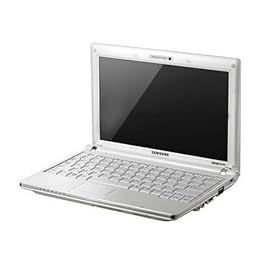
Samsung NC10 AnyNet 10.2-inch Netbook (Intel Atom N270 1.6 GHz, 1GB RAM, 160GB HDD, Intel GMA N270, XP Home) White

Diposting oleh fatih on Sabtu, 03 Oktober 2009


Product
Description
NC10-anyNet: Designed for the "mobile life". Designed for the highest standards in innovative design. The ultra-compact and lightweight housing offers a range of practical features to simplify life on the road. Brilliant technology adapted to the rapid and digital life for even more mobility.

Slim design
With an optimized 10.2-inch widescreen display for a flawless visual experience that is the lean NC10 only 1.19 cm high and fits in almost every pocket. The rugged enclosure provides maximum comfort and reliability, and quality ergonomics and style.

Videoconferencing
Whether video conferencing or live messaging - the integrated 1.3 megapixel camera makes it even easier with friends, family and colleagues to keep in touch. The camera combines the resolution and image quality of a still camera with sustained high frame rate of a video camera.

Robust housing, durable and reliable
Feel secure with the sturdy Protect-o-Edge casing that stands for durability and reliability. An elaborate series of 54 quality tests, ranging from rapid temperature change to electrical surges, ensuring new standards in terms of resilience and endurance.

Antibacterial Keyboard
The SilverNano technology coats the small keyboard with nano-silver ions, which prevent the survival and the re-emergence of bacteria. Within 24 hours will be 99.9% of all bacteria are killed and there is a hygienic work environment.

Lightweight
As one of the world's lightest 10.2-inch mini-notebook in its class, weighing only 1.45 kilograms, is the NC10 fully loaded with the latest technology and guarantees maximum mobility and performance.

Complete notebook keyboard
The full notebook keyboard offers optimal writing comfort. Ergonomic design and optimized key spacing make working and communicating more comfortable and allow faster and flawless writing.

Fully equipped for easy data exchange
Easy data exchange through a variety of connection options, including a card reader and three USB ports, so you can easily transfer pictures, movies and data to and from virtually any modern camera, peripheral or audio-visual equipment.

Product
10.2 "Samsung NC10-anyNet N270W3

More Review...
Read More

Samsung - NC10 XI0V 1270W - Mini Notebook - 10.2''WXGA - Atom N270 - HDD 160 GB - 1024 MB - XP Home - White

Diposting oleh fatih

Technical Details
Product Description: Samsung - NC10 XI0V 1270W - 10.2''WXGA - Atom N270 - HDD 160 GB - 1024 MB - XP Home - White Product Type: Notebook Operating system: Windows XP Home Edition Technology: Intel Atom Processor Technology Processor: Intel Atom N270 Fréquence: 1,60 GHz Chipset: Intel 945GSE + ICH7M FSB: 533 MHz L2 cache: 512KB Size and type of screen: 10.2''LCD SuperBright Standard Resolution: WSVGA (1024 x 600) Graphics Processor: Mobile Intel GMA 950 Video Memory: Up to 256MB with DVMT technology External resolution and maximum frequency: 2048 x 1536 - 85Hz RAM: Installed 1024 MB (1 x 1024 MB) Maximum 1024 MB DDR2 SODIMM (533MHz PC2-5300), Location (s) 1 used Hard Drive: 160 GB Capacity, Speed 5400 RPM, SATA Type Connectivity: Wifi Atheros AR5007EG Wireless Adapter - 802.11b / g, Bluetooth antenna and Integrated Map - Version 2.0 + EDR (Enhanced Data Rate), 10/100Mbps Ethernet, Network Card Integrated Webcam (1.3 Megapixel), Wireless Communication ( Fi) 802.11b / g Type of Sound: High Definition Audio Speakers: Integrated (2 x 1.5 W) Microphone: Integrated microphone with connector for external microphone Interfaces: 3 USB 2.0, Modem / Network - / 1 RJ45, VGA Video Output, Input and Output Audio MIC-in, Headphone / Speaker out, Memory Card Reader 3 in 1: SD card / MMC / SDHC 1.3 Megapixels Webcam Yes Bios: 2 level BIOS password Kensington attached: Yes Standard battery (included): Smart Li-Ion 6 cells Long battery (optional): Smart Li-Ion 3 cells AC adapter (included): 40W (100-240V) Materials used: PC-GF, PC-ABS Mouse / Pointer Built: 84 keys / Touchpad with scroll zone Software Recovery: Samsung Recovery Solution III Other Software: McAfee Virus Scan, Easy Network Manager, Easy Display Manager, Samsung Magic Doctor, Easy Battery Manager, Samsung Update Plus - Play Camera Dimensions (W x D x H): 261 x 185 x 30 mm Weight: 1.33 Kg (with 6 cell battery)
Read More

ASUS X5DIJ-SX018L 15.6 inch Notebook PC (Intel Pentium Dual Core 2 GHz, 2GB RAM, 250GB HDD, NVIDIA GeForce 4500M, DVD + / -/dl, Linux)

Diposting oleh fatih on Kamis, 01 Oktober 2009


Product
Description
Smarter-rounder at a bargain price. If you already have an operating system can properly save. Designed for great comfort and an outstanding multimedia entertainment, the Asus X5 is aimed at all users who are looking for a mobile, persistent and simultaneously send PC companion for traveling as well as at home or in SoHo (Small Office / Home Office) at an attractive price.

For every taste
The model has a superb facilities including the latest Intel ® processor technology, 2 GB RAM, 320 GB HDD, integrated graphics, and all popular interfaces, including wireless-N. In order to meet the individual preferences of all-rounder user account. Who particular emphasis on a fast processor speed, puts a large display screen is best discussed with the X5DIJ.

For the perfect cinema feeling at home and on the go
To provide users of the X5DIJ a diverse entertainment experience that delivers high-quality equipment in addition to the ASUS also with a comprehensive multimedia package. Included are two integrated Altec Lansing ® speakers and a professional SRS ® surround sound system, an 8x DVD-Super Multi Double Layer drive, a 1.3 megapixel Web-/Videocam and an extensive multimedia software package. For the perfect cinematic experience outside of any movie theater make beyond the 15.6 "wide Color Shine glare type screen. The display is perfectly matched to the movie 16:9 widescreen format, so the film can be enjoyed without black bars at the top and bottom of the screen. High resolution and fast response time while providing a sharp, rich playback of images and colors.

IceCool Technology
Thanks to the innovative technology has enabled ASUS ASUS IceCool the ventilation openings placed so favorable that the temperature of the palm rest pleasantly low 27.6 to 27.7 degrees Celsius is not exceeded. Thus, the ASUS X5 guaranteed even in the hours of operation and especially in summer temperatures comfortable work.

Infusion Design
For a smart look which makes ASUS's own "infusion technology," which gives the display cover a shimmer for a fresh, modern appearance while protecting against scratches.

In regard to installing Windows XP or Windows Vista
The pre-installed Linux has no graphical user interface. After turning on or booting is therefore only a command prompt (Username = root and password).

Installing Windows XP
Move F2 into the BIOS under IDE settings and set the SATA mode to 'Compatbile'. Install Windows XP Service Pack 3 and get to the drivers that you see

Click more review

Read More Review...
Compare Lowest Price


Installing Windows Vista
A driver CD for Windows Vista is shipped. There are no BIOS adjustments needed.
Read More

Tales of the Document Camera

Diposting oleh fatih


This year has been exhausting. More students, more preps, more demands of increased test scores on writing and reading. More, more, more with less given back. This equals exhaustion.


As a ninth grade team, one of our essential learnings is for our students to write with a critical and argumentative intent. Our common assessment working towards meeting this essential learning is having our students compose thesis statements that state the title, author, answer the question asked and provide a value as to “why” that is the answer. With every story we read, we write a thesis statement working towards proficiency. By now, my kids have composed at least 7 thesis statements on various short stories from Frank Stockton’s “The Lady or the Tiger” to Richard Connell’s “Most Dangerous Game” to David Brenner’s “Fish Eyes.” All of these stories focus on our essential question of the semester “How do words and actions affect who others become?” We have written out our thesis statements on note cards, posted our thesis statements on our class blog, and shown them to one another using the document camera. Ahh, the document camera…


I can’t tell you how much I love this piece of equipment. After having laptops for four years, I am so used to the instantaneous power of learning and immediacy of information. When I have taught student writing before, we always exchange papers with USBs to edit one another’s work and to showcase writing workshop tips and suggestions. It takes time loading one’s paper, and getting the kids to emulate the strategies I am demonstrating on a student’s papers. But it is worthwhile to see them learn from one another.


This year with the document camera is different though. I am not sure if it is just the tool, or the amount of writing my all boys’ class is doing, but they can’t wait to share their writing with the class using the document camera. On Wednesday, I asked the students “who would like to share their writing so we can learn together from the editing process?” Almost 2/3 of the class had a paper they wanted to share. They all wanted to use their writing as an example so that the rest of the class could give feedback to the paper under the camera. As we talked through the paper, sentence by sentence, paragraph by paragraph, the students were making the changes to their own paper that they were seeing on the screen. The kids were visually learning and kinesthetically learning. Kids weren’t just sitting idly by while I was helping one student; through my review of helping one student’s paper, we were all working together learning from one another’s examples and mistakes.


Reflecting, I am not sure if the excitement over editing was from the free editing, the sharebility of ideas, the feedback for writing, or that they are all boys and feel “ok” with sharing their work since there is no female pressure (I remind them all the time that I am a female, but they tell me I don’t count). I am saddened though that I lose my document camera next week. Hopefully, the technology gods can come to my rescue and replace it with one I can keep, because I can see real continued use of this not with just writing, but the reading process as well. Rather than kids just sharing their ideas out loud- which I love but know it doesn’t meet all kid’s learning needs , some kids can share their thoughts through the document camera that are written into their own books. Kids can show their questions, their thinking process, their inferences and connections.
Read More